Open source · Self-hosted

Your personal Netflix,
on your own terms.

Search for a movie or TV show, manage downloads from one dashboard, move files to Google Drive, and watch them through Infuse.

Runs locally or on a VPS · Docker Compose · ~1–2 hour setup
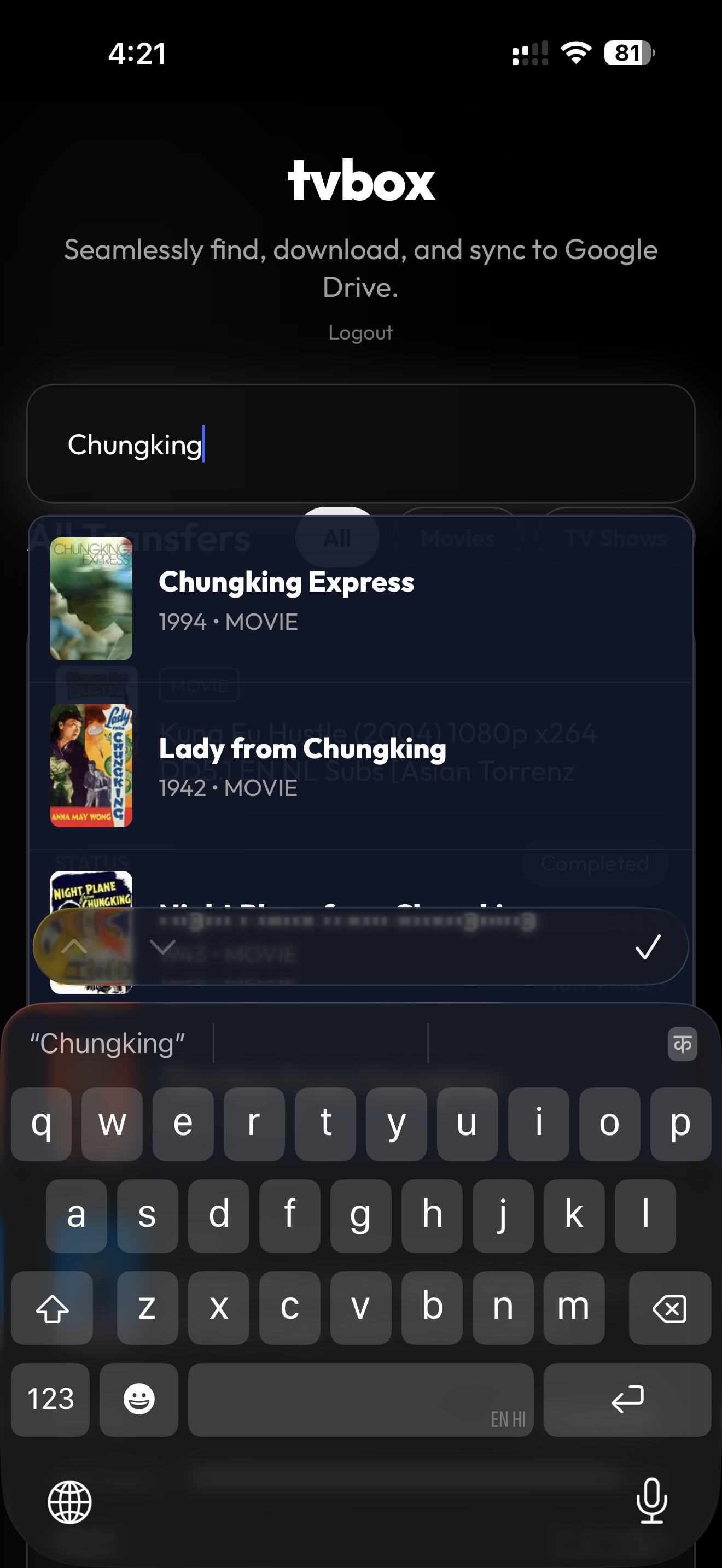
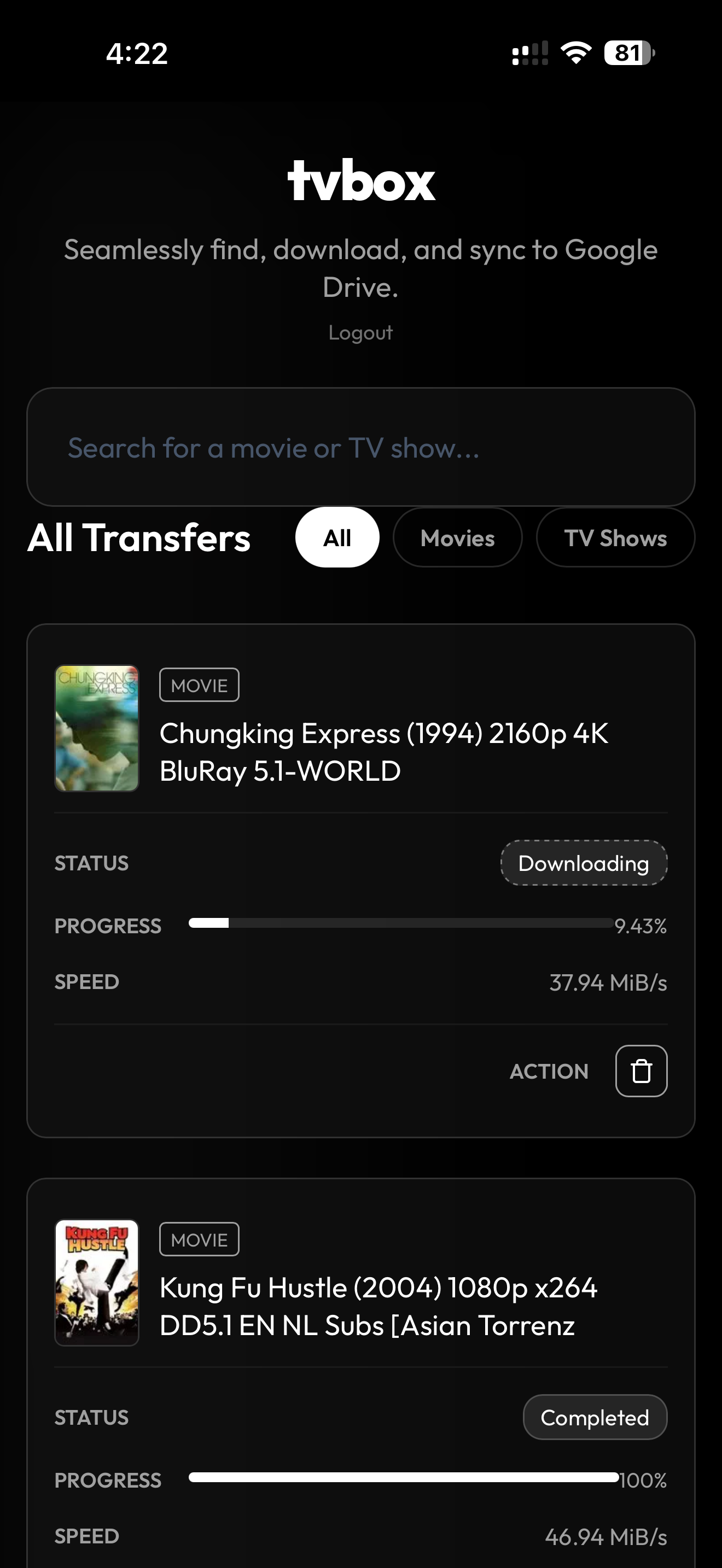
After Setup: Search for Movie / TVShow
1. After Setup: Search for Movie / TVShow
Downloads start in Background, and gets copied to Google Drive
2. Downloads start in Background, and gets copied to Google Drive
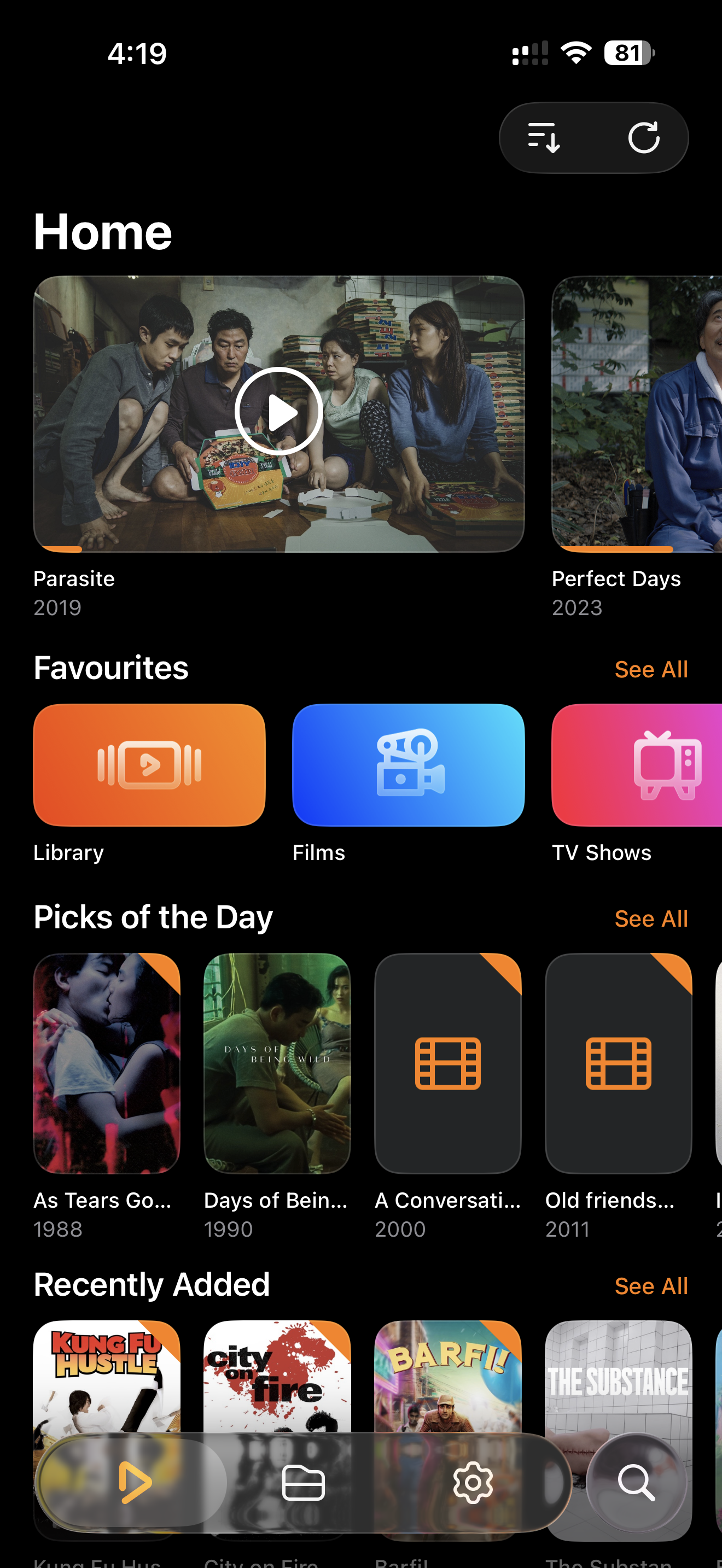
Watch it anywhere on Infuse (Apple TV supported)
3. Watch it anywhere on Infuse (Apple TV supported)

Why tvbox?

You search for a movie and it is not on any streaming platform in your country. Google says it is on MUBI or Amazon Prime, but the link opens to “unavailable in your region.”

tvbox brings the workflow into one place: search → download → Google Drive → Infuse.
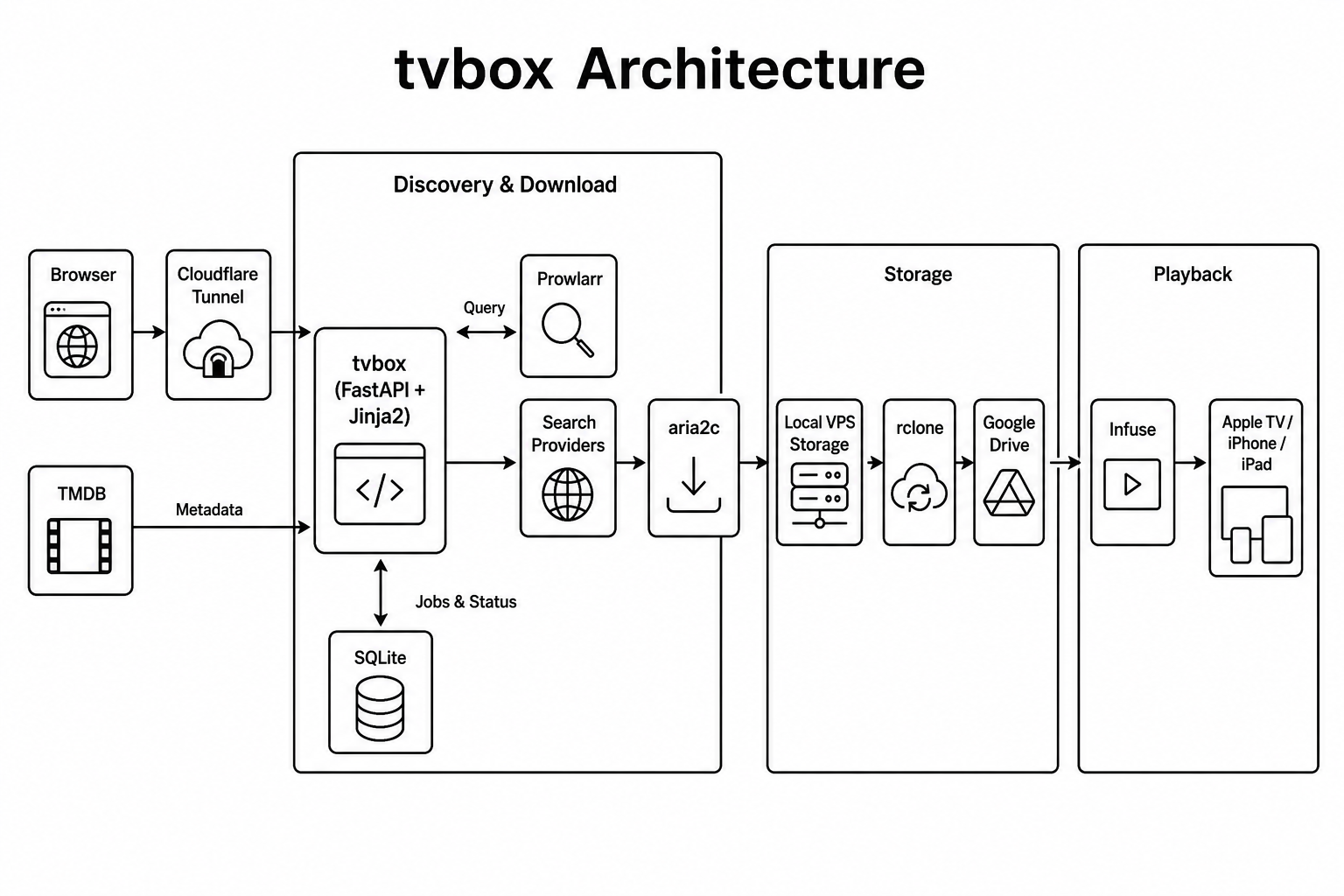
Architecture

tvbox architecture: browser to tvbox, download via aria2c, upload to Google Drive, playback via Infuse
  1. Open tvbox in your browser and search for a title.
  2. tvbox finds releases and starts the download.
  3. Completed files move to Google Drive via rclone.
  4. Watch from Infuse on Apple TV, iPhone, iPad, or Mac.

Features

  • TMDB-powered search with posters
  • Live download progress dashboard
  • Automatic Google Drive uploads
  • Password-protected web access
  • Local or 24×7 VPS deployment
  • Optional remote access via Cloudflare Tunnel

Get started

Local

Try tvbox on your own computer with Docker. No VPS or domain required.

VPS

Run downloads 24×7 on a server and access tvbox remotely when you need to.